
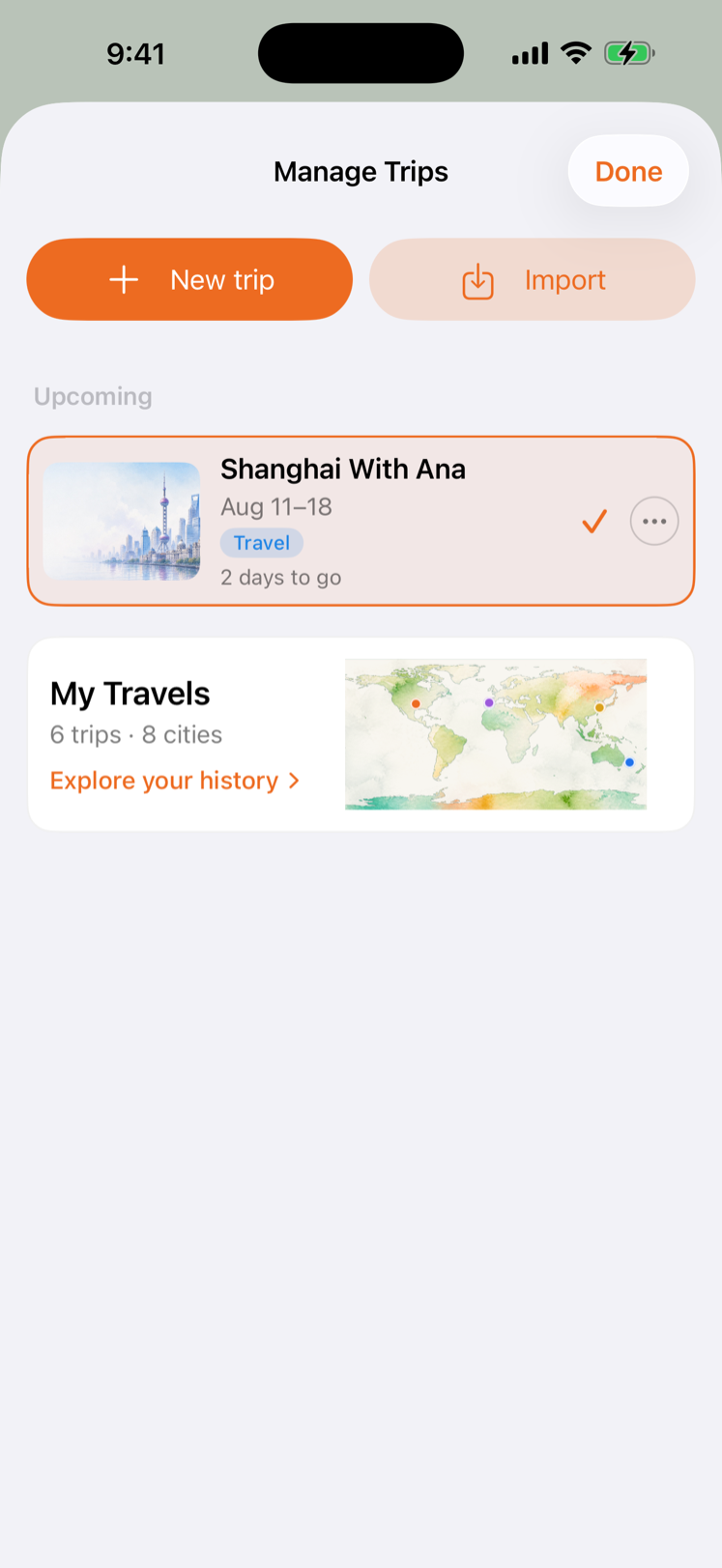
The problem was not another booking field
I built TravelOrbit because travel apps tend to stop at the folder of confirmations. That folder is useful, but it is not the trip. A trip has a beginning, several places, a day when the plan turns into action, and eventually a memory.
TravelOrbit 1.5.0 is the first release where those stages connect. It is now available as the approved 1.5.0 release, build 105. The version number matters to me because it represents a product boundary: the app can plan a real journey, help run it, and keep a private record afterward.
A trip finally has a front door
Before this release, Travel mode was good at showing the next card but weak at answering a basic question: “Where is the rest of my trip?” In 1.5.0, tapping the trip name opens Trip Overview. It gives the whole itinerary a visible home, with direct doors to Documents, People, and Lists, plus the Itinerary and Journey views.
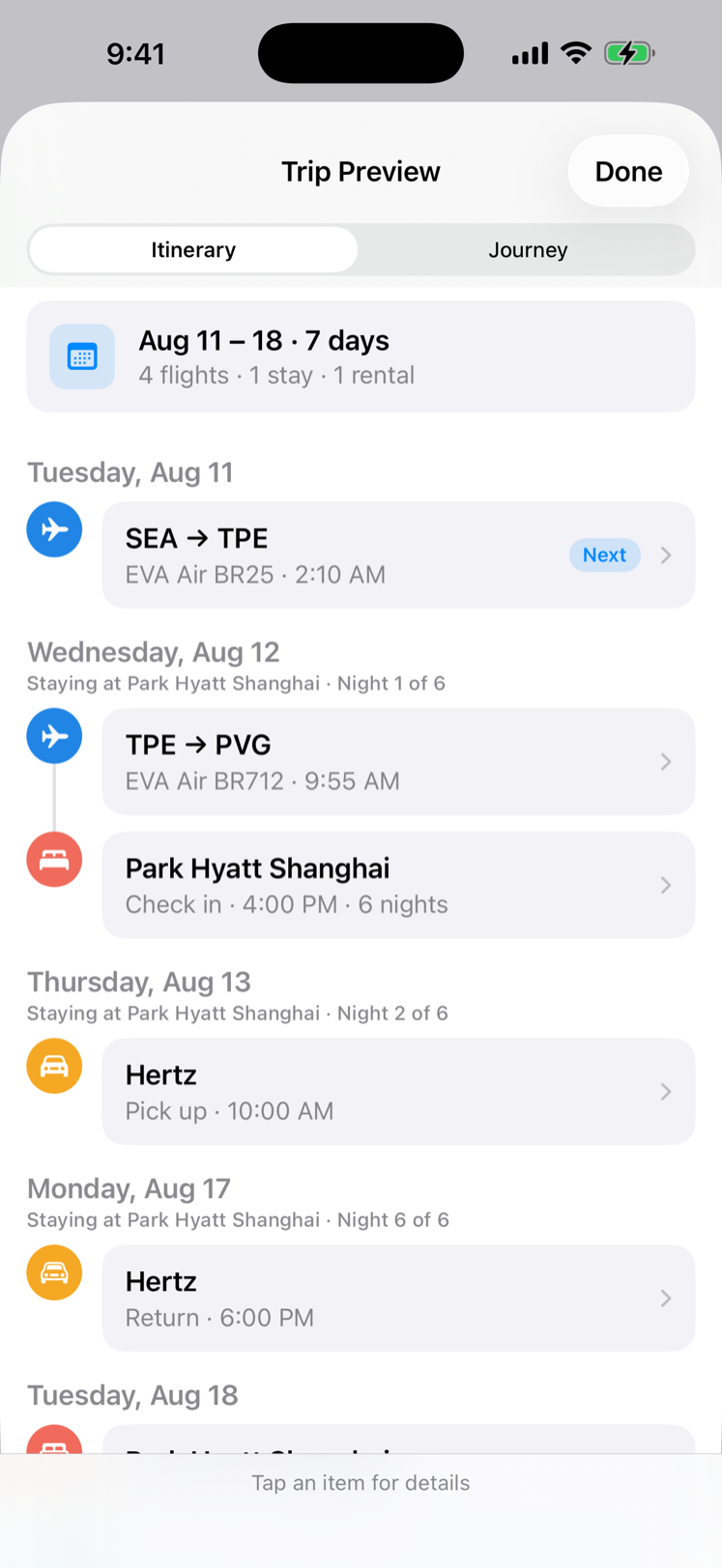
I spent a surprising amount of time on this because navigation is product architecture. A document, a packing list, a travel companion, and a route are different things, but they all belong to the same trip. The overview makes that relationship visible without turning Home into a dashboard.
Multi-city without a second spreadsheet
TravelOrbit 1.5.0 also understands a trip that moves. Cities are derived from the stays and activities already in the itinerary, so I do not need to maintain a separate city list just to make a Paris–Lyon–Nice trip readable. The plan groups each city’s run of events, shows the city beside the date in Preview, and gives each city its own cover art.
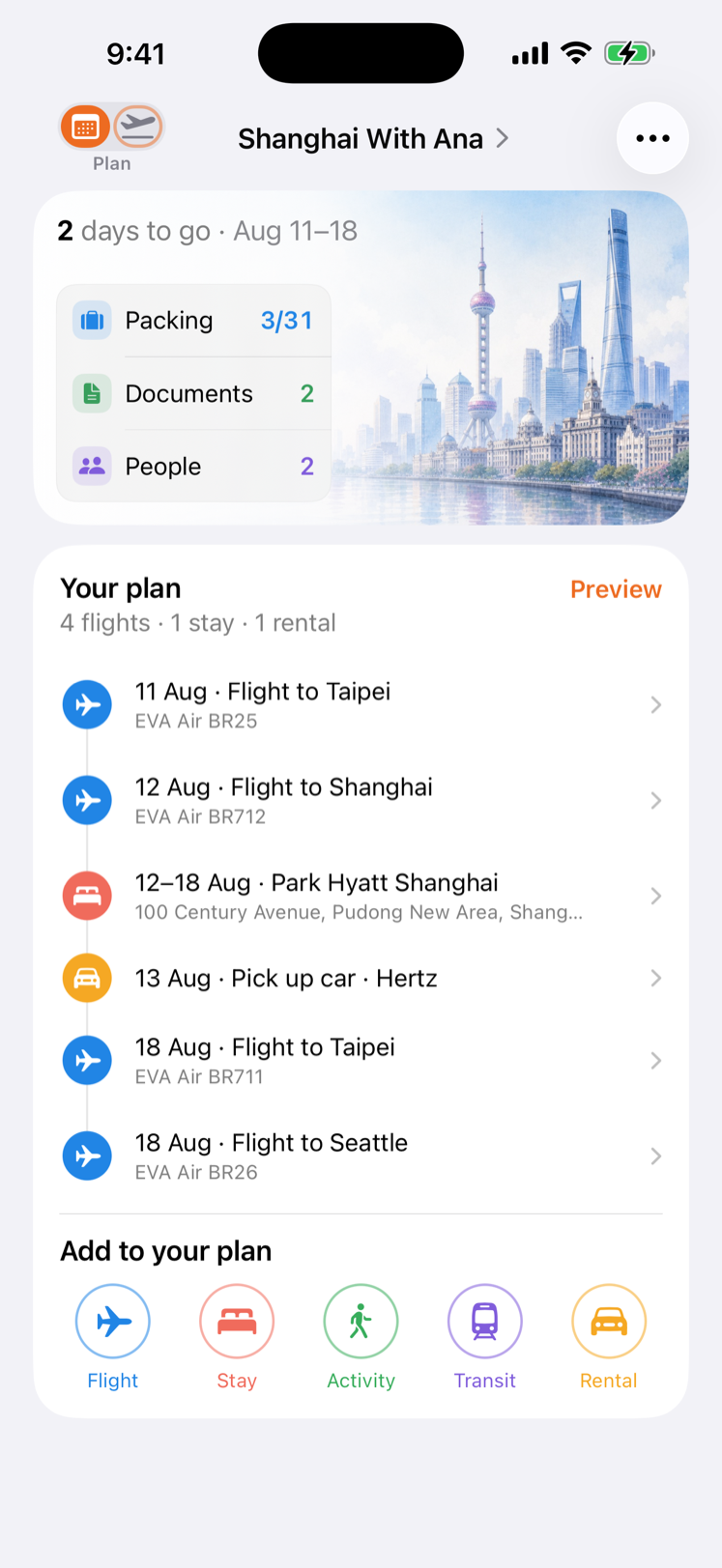
The hard part was not displaying three headings. It was handling day trips, hotels that span several nights, unfamiliar localities, and a city that is implied by a booking but should not be invented from a distant pin. The app now uses the information already in the trip and asks for a location only when the existing evidence cannot place it.
One next move on travel day
Travel mode remains deliberately narrow. It does not show every fact at once. It surfaces the action that matters now: review the plan, pack, check in, leave for the airport, find the gate, or continue to the next leg. The handoff from Plan to Travel is based on the actual departure window, not an arbitrary calendar day.
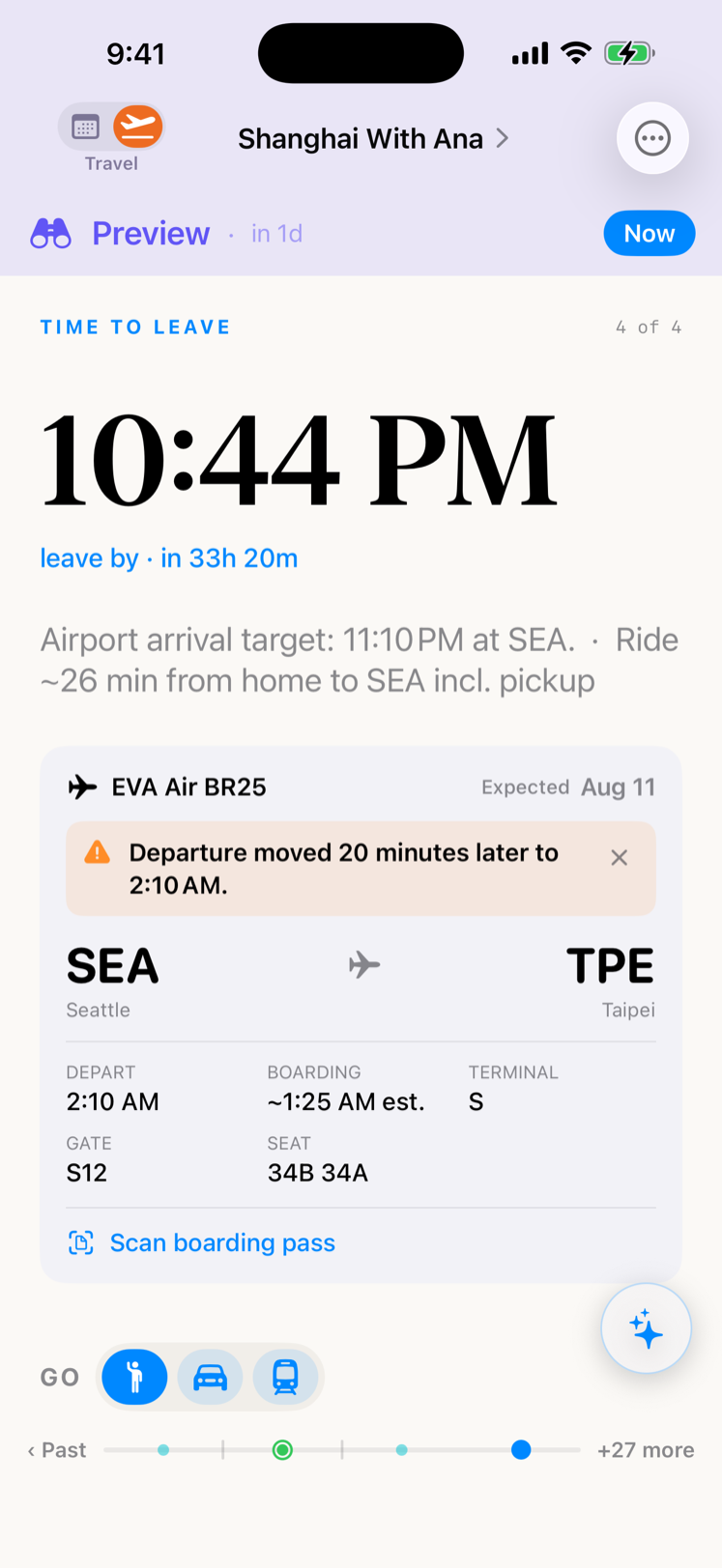
That also meant fixing the quiet details travelers feel immediately. Flight and hotel dates belong to their local places. A domestic journey gets a shorter airport buffer only when the whole journey is demonstrably domestic; uncertainty keeps the safer buffer. A flight delay or gate change should change the card, not make me hunt through a booking folder.
Travel together, with clear boundaries
Sharing is part of the trip now, not a separate export ritual. Invite a companion, choose whether they can follow, check off packing, or edit the plan, and keep changes synchronized. Packing lists and itinerary updates have recovery paths when a network request fails, so a local change does not disappear just because iCloud is having a bad moment.
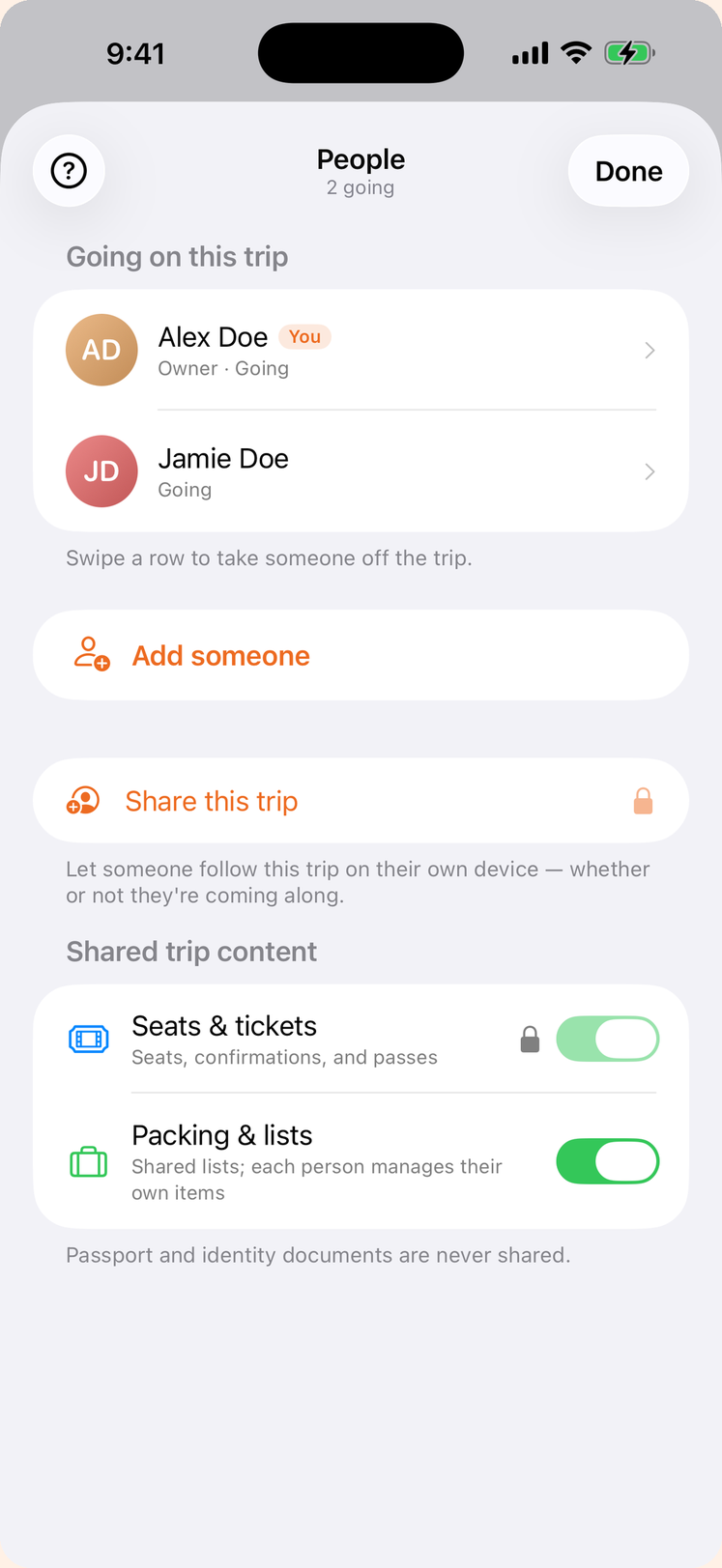
The boundary is important: passport numbers and identity-document scans are never included in the companion share. A person can leave a shared trip, and the owner can stop sharing. These are not marketing promises added after the interface was designed; they are constraints the data model and share payload must enforce.
A private history, not a public scoreboard
After a trip ends, it moves into Travel History. I wanted this to feel like a shelf of journeys rather than a leaderboard. The Trips view makes old itineraries easy to find; the Map view shows visited cities and lets me explore a city’s trips. Playback is optional. The map rests quietly until I ask it to tell the story in order.
Travel History is deliberately private. It is assembled from my completed trips on my device and in my iCloud, not from a social profile or a location feed. The map can be beautiful without turning travel into a public performance.
Local-first by design
TravelOrbit stores the itinerary, documents, and travel history on the device and in my own iCloud when those features are enabled. The app does not require an account to start. The trip assistant is on-device, so questions about my itinerary do not need to be sent to a TravelOrbit server. Live flight updates and Live Activities are optional TravelOrbit Plus features; the core planning workspace remains useful without a subscription.
I am careful with this wording because “private” is not a decorative adjective. It has to match the entitlements, share payloads, backup behavior, and the permissions shown to the traveler. 1.5.0 is a release where those decisions are part of the product, not a footnote.
Who should try 1.5.0?
TravelOrbit is for someone who wants more than a list of reservations but less than a travel operations console. It is especially useful for a multi-city trip, a journey with several travelers, or a travel day when the question is simply: “What should I do next?”
Start with the TravelOrbit product page or download the iPhone app from the App Store. The app is still evolving—this is the first release where the whole trip feels connected, not the last word on how travel software should work.
This article describes the approved TravelOrbit 1.5.0 release, build 105, as of August 13, 2026. App behavior, subscription availability, flight data, iOS requirements, and App Store information can change; check the current product page and in-app disclosures before relying on a feature.