
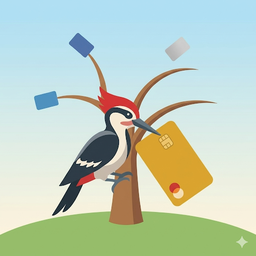
Always know which card to use.
Compare rewards, track credits and offers, log receipts, and watch your points balances grow — everything your wallet earns, without spreadsheets, bank logins, or guesswork at the register.
iPhone · No account · No bank logins
The checkout-line question, answered
Dinner out
Tap Dining and see which card's multiplier wins tonight — the answer changes more often than you'd think.
Booking a flight
Airline subcategories tell Delta from United, so the right card wins even when the rule is brand-specific.
Hotel stay
Hyatt or Marriott, points card or credit card — compare the effective return before you book.
Groceries
Quarterly and rotating categories are exactly the thing human memory drops. CardPecker doesn't.
An expiring credit
Benefits shows the dining credit that resets next week — use it on a meal you were buying anyway.
A new card arrives
Add its categories once and every future comparison includes it automatically.
What CardPecker does
Best card, instantly
Tap any spending category and see which card earns the highest effective return across your whole wallet.
Track every benefit
Benefits tracks travel credits, dining credits, free nights, and recurring perks, auto-refreshing each billing period.
Card-linked offers
Keep issuer offers in one place, combine duplicate deals across cards, and see in-store offers near you when you allow location.
Receipts, scanned
Point the camera at a paper receipt and CardPecker reads the merchant and total — or attach a photo to any logged purchase.
Rewards balances
Track miles and points across loyalty programs and estimate what they're worth using dated reference valuations you can edit. Included with CardPecker.
Sync without passwords
The optional Safari extension auto-fills balances and offers from pages you're already signed in to — it never sees or stores a password.
Built for multi-card wallets
Whether you carry 2 cards or 12, subcategories keep brand-specific rules straight.
Backed up, your way
One-tap backup and restore, plus automatic backups to your own iCloud Drive — weekly by default, with Off, Daily, and Monthly options.
Privacy, plainly
- What's stored: your primary database — cards, reward categories, benefits, offers, receipts, and balances — stays locally on your device.
- How data gets in: you enter it, scan a receipt with the camera, or let the optional Safari extension read a balance off a page you're already signed in to. Nothing is fetched behind your back.
- Bank credentials: never requested, never stored. CardPecker doesn't log in to your accounts — it doesn't even need your card numbers. The sync extension only reads what's already shown on your screen, and never your passwords.
- Location: used only while you're in the app to search Apple Maps for nearby offer merchants. CardPecker doesn't store your coordinates or send them to TravelPal. It's entirely optional.
- Backups: automatic backups go to your own iCloud Drive and can be turned off; manual backups go wherever you choose in Files. There is no CardPecker server.
- What CardPecker doesn't do: no account, no analytics, no advertising identifiers, no data sold or shared.
The full policy is short and readable: CardPecker Privacy Policy.
Frequently asked questions
No. CardPecker never asks for bank credentials and never logs in to your accounts. You add your cards and their reward categories manually — no card numbers needed. If you want balances filled in automatically, the optional Safari extension reads only what's already displayed on a page you signed in to yourself.
You record each card's earning rates by category. When you tap a category, CardPecker compares the effective return across your cards and shows the winner — including subcategory rules like specific airlines or hotel brands.
Benefits tracks statement credits and recurring perks and auto-refreshes them each billing period, so expiring value surfaces before the clock runs out. Offers keeps card-linked deals together, combines duplicate deals, and can show nearby merchants when you grant location access. Pair Benefits with our benefit-tracking guide.
CardPecker is built local-first: your primary database is stored on your device, with no account and no tracking. Automatic backups use your own iCloud Drive weekly by default and can be changed or turned off. The optional Safari Sync extension hands balances and offers from your screen to the app on the same device. See the privacy policy for the details.
Rewards keeps miles and points for programs like Chase, Amex, Hyatt, and Delta in one place, estimates their cash value using editable reference valuations, and totals your portfolio at a glance. Rewards tracking is included with CardPecker.
No. CardPecker is an organizational tool — it compares the reward rules you enter. It doesn't recommend cards, and nothing on this page is financial, legal, or tax advice.
Go deeper on Cards & Points
All Cards & Points guides →The Beginner's Guide to Credit-Card Rewards
Points, miles, cash back, and a sane starter strategy.
Cards & PointsHow to Track Credit-Card Benefits Before They Expire
A simple inventory-and-sweep system for capturing every credit.
App GuidesIntroducing CardPecker
Why we built a private, local-first answer to "which card?"
AI CodingHow I Built CardPecker With AI
A non-coder’s honest workflow—and the work AI should never be trusted to invent.
Ready to maximize your rewards?
Download CardPecker and always use the right card.
Download on the App StoreCardPecker and the guides on this site are general education and organizational tools, not financial, legal, tax, or investment advice. Card terms change frequently — confirm details with your issuer.