
Your trip,
one moment
at a time.
Most travel apps hand you a folder of bookings. TravelOrbit changes with the trip: a calm workspace while you're still deciding, then the next move on travel day — when to leave, where to check in, which gate — and afterwards, a private map of everywhere you've been.
Free to plan & sync your own devices. Plus unlocks live flight status, the AI assistant, sharing & automation.
Planners vs. co-pilots
A planner organizes your trip.
TravelOrbit runs it.
One trip, three answers: what to add, what to do next, and where you've been. Plan freely, travel calmly, remember it whole.
A trip you can build before you book it
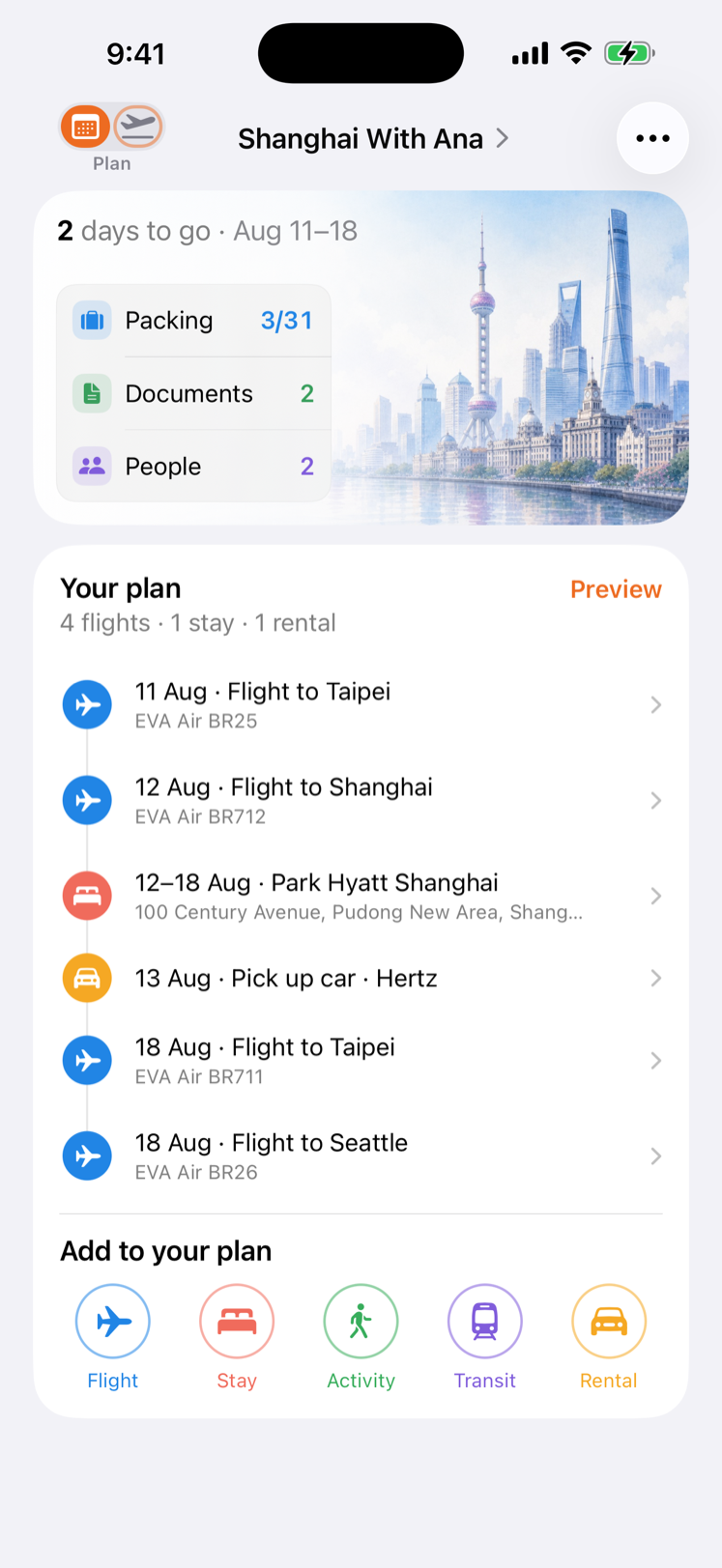
Start a trip with nothing but a name, a destination and dates. Plan mode gives it a cover, a countdown and a running plan in date order — and five buttons that add a flight, a stay, an activity, a transit leg or a rental one booking at a time. If a night has nowhere to sleep, it says so, and tapping the warning opens the stay already filled in.
- Plan | Travel in one tap
- Quick add, one booking at a time
- A night with no stay, flagged
The next step, before you ask
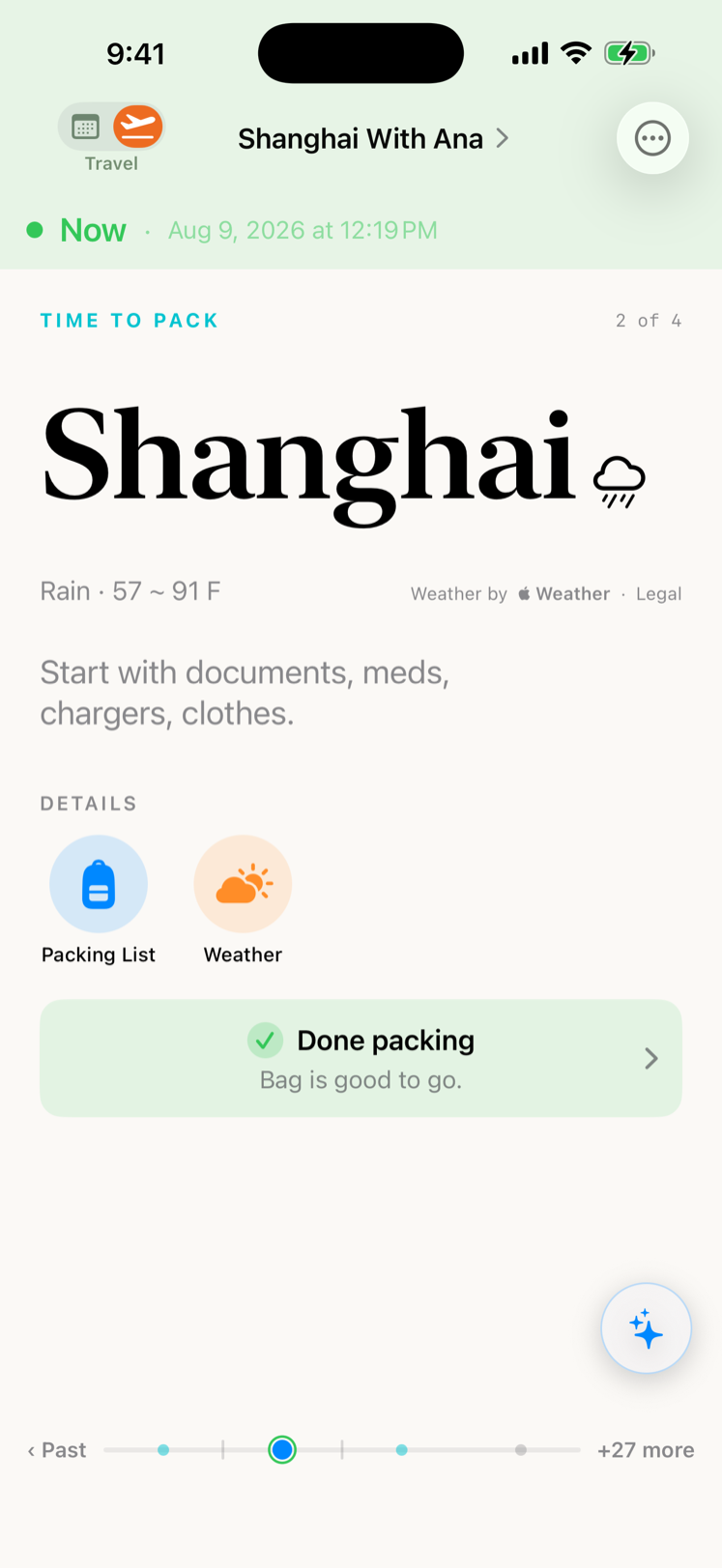
When the trip gets close, switch to Travel and the same trip becomes one screen with one focus. TravelOrbit surfaces the single thing that matters right now — confirm bookings, pack, check in, leave home — then quietly advances as your day unfolds.
- Leave-by timing
- Auto-advancing timeline
- Gentle countdowns
A travel assistant that runs on your phone
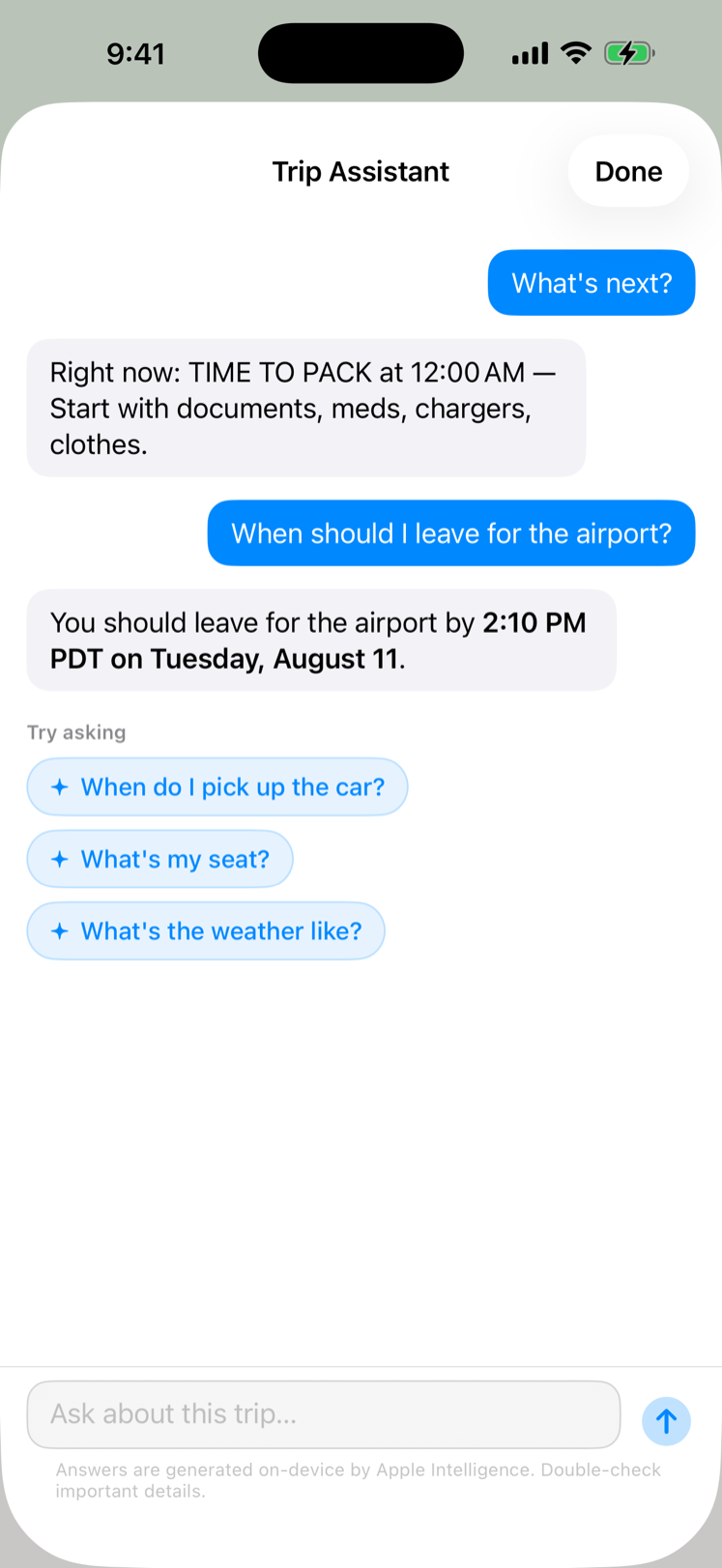
Ask in plain words — "When do I board?", "How long is my layover?", "Where am I staying Tuesday?" — and get an answer pulled straight from your itinerary. It runs entirely on-device with Apple Intelligence, so nothing about your trip ever leaves your phone.
- Answers from your itinerary
- On-device & private
- No account, no cloud
Your travel day, minute by minute
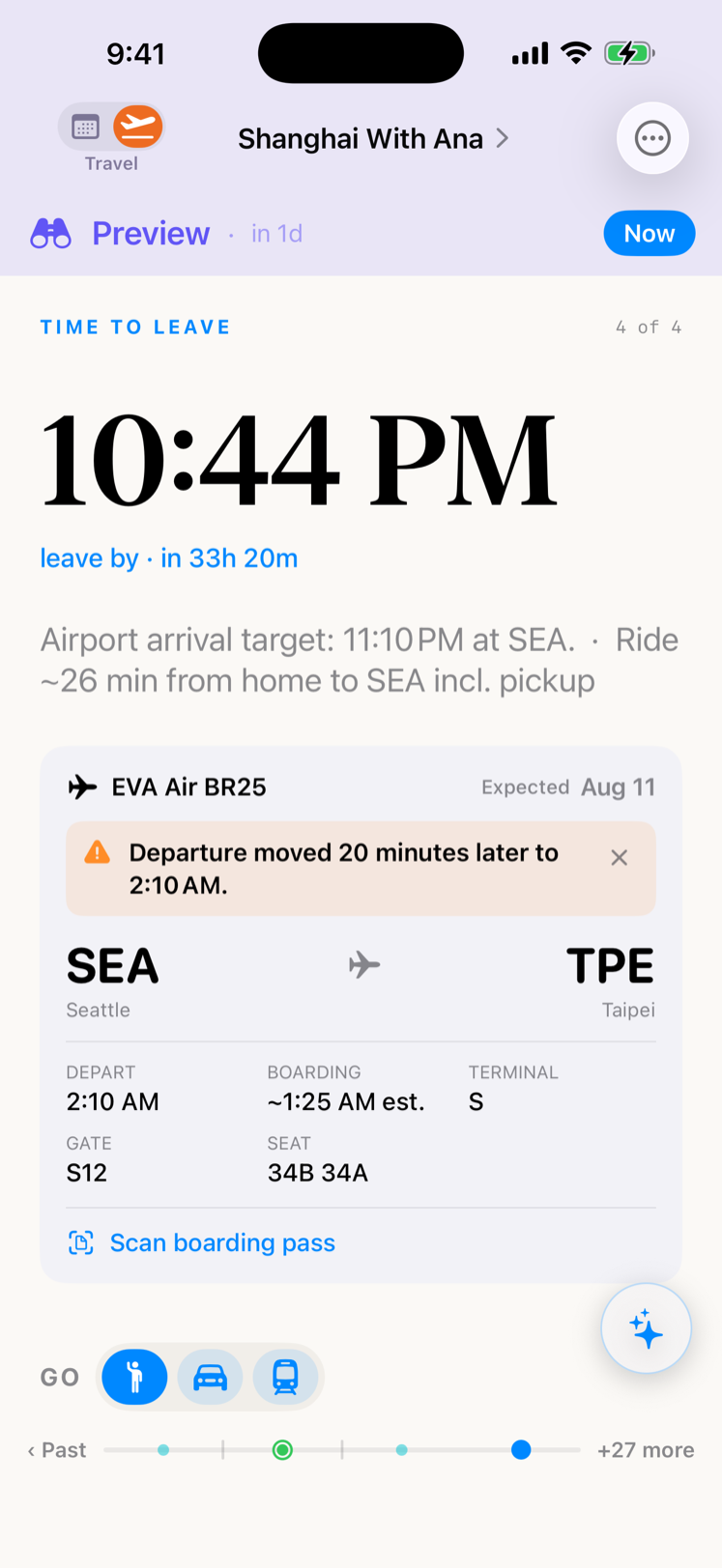
On the day itself, TravelOrbit follows the route — flight number, gate, terminal, boarding estimate, and an offline map of the airport. Live flight updates and a Live Activity keep the countdown and any gate change right on your Lock Screen, so you don't have to open the app.
- Live flight updates
- Gate change on the Lock Screen
- Offline route map
Every booking in one timeline
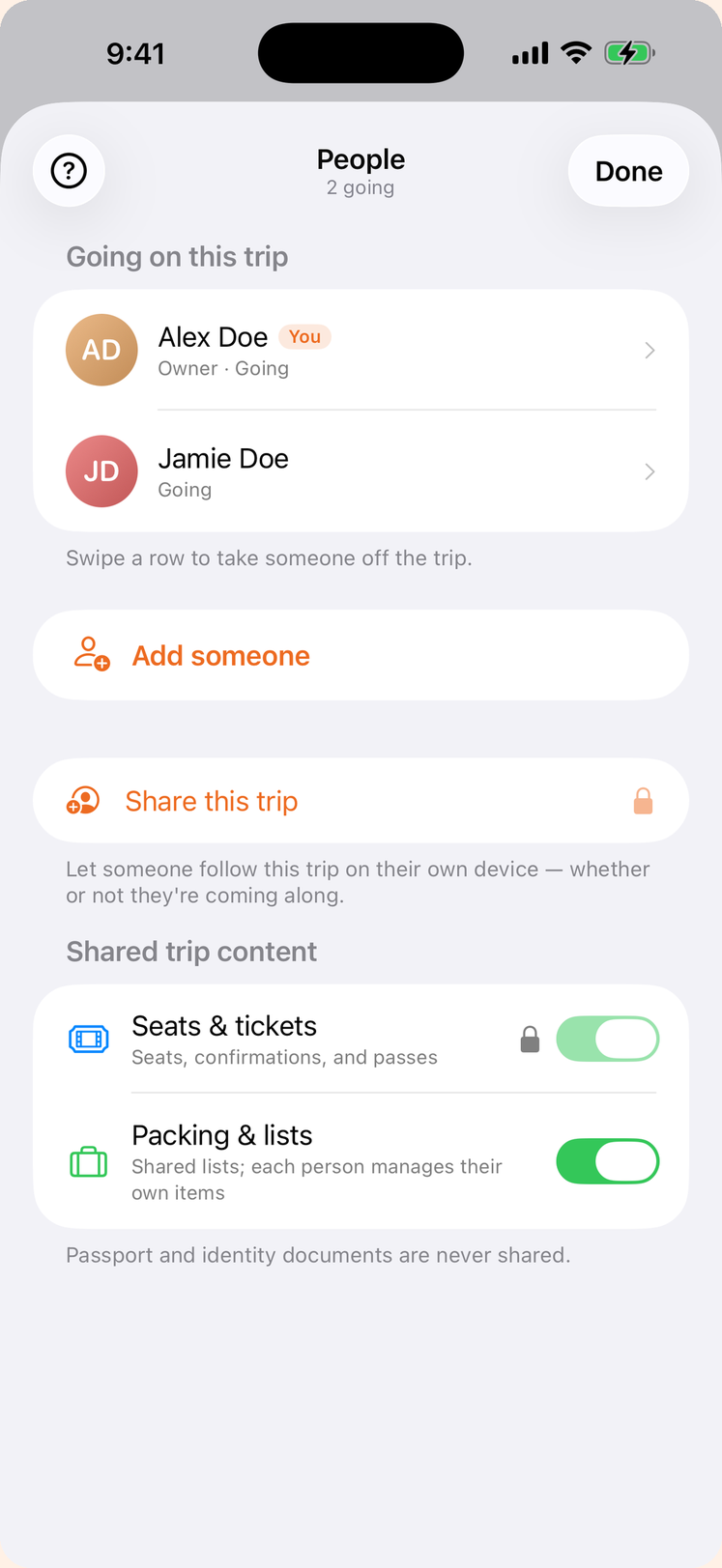
Flights, hotels, rental cars, ground transit and activities live together in a single, scrollable trip — day by day, with seats, room numbers, confirmation codes and times exactly where you expect them. Switch the same screen to Journey to watch the whole route draw itself on a map. Point the camera at a confirmation email or boarding pass and the details fill themselves in.
- Itinerary or Journey
- Flights, hotels, cars & transit
- Scan a confirmation to add it
Packing, with context
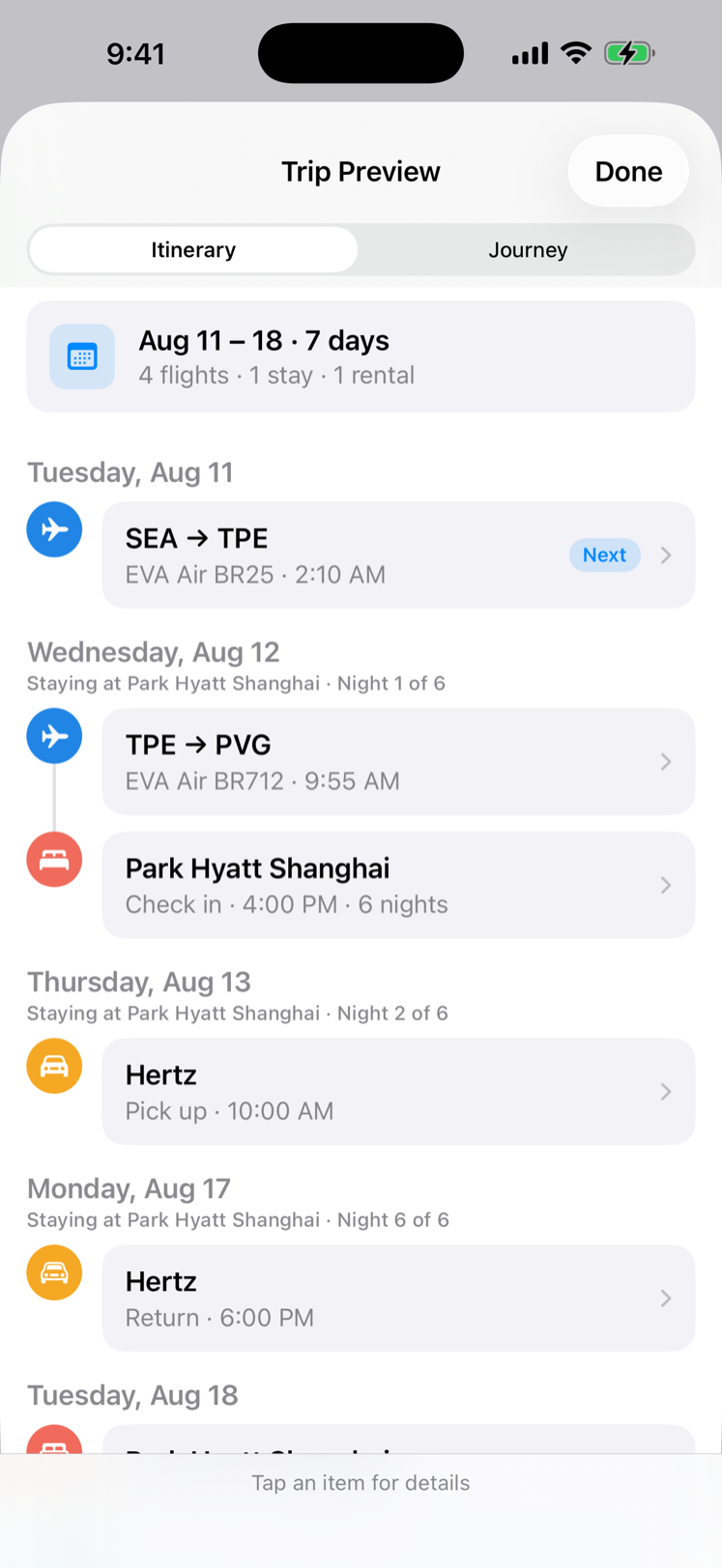
A packing list that knows where you're going — per-traveler lists, a shared common list, and custom lists for to-dos and shopping, all synced live with your companions. Import from Reminders or paste a list, save your own template, and pair it with destination weather cues so the trip feels handled before you zip the bag.
- Per-traveler & shared lists
- Import from Reminders
- Destination weather
The right pass, already on top
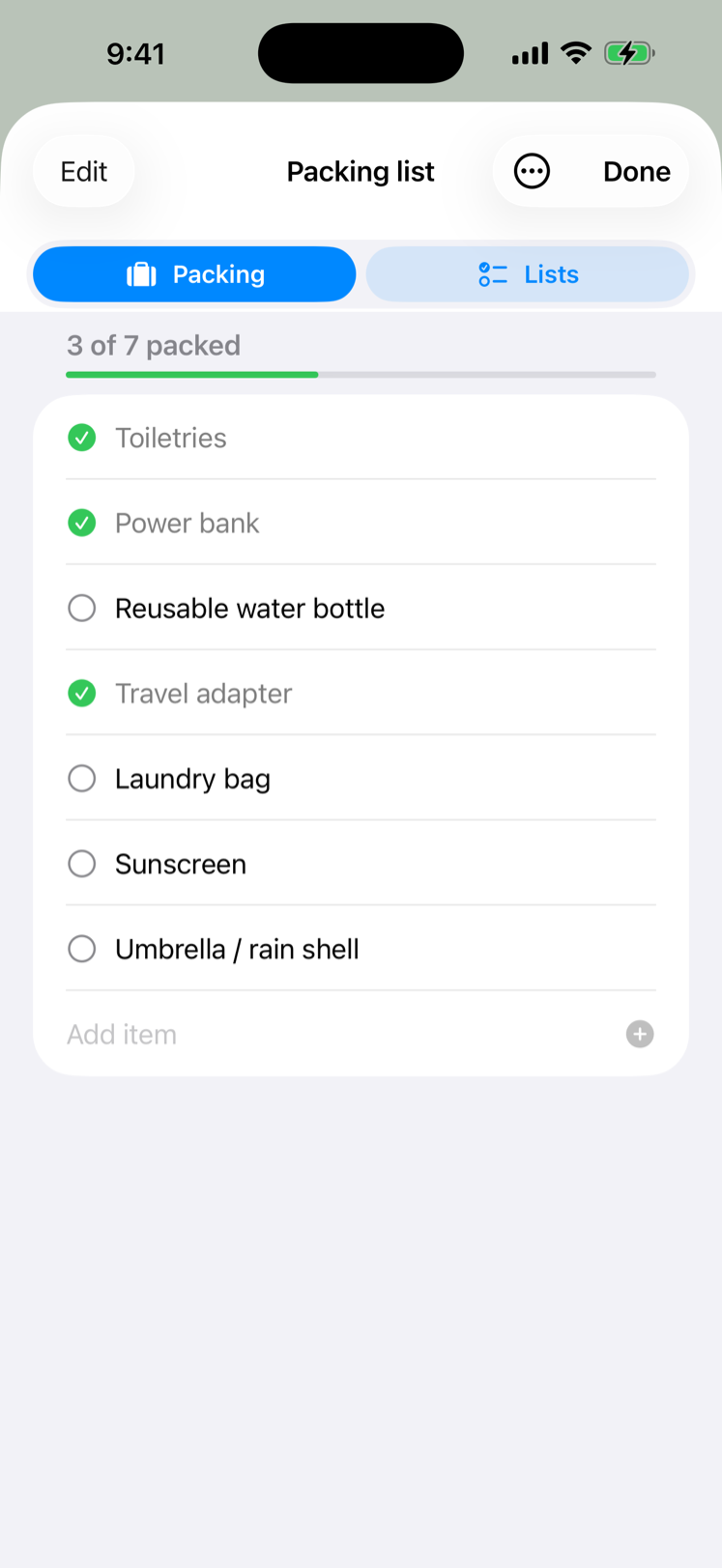
Boarding passes, tickets and travel documents live with the trip, filed by the day they're needed — so the one you're about to use is the one waiting at the top, per traveler, with the rest in order behind it. Passport and ID scans are encrypted on device and never sent to a server.
- Next to use, first
- A pass for each traveler
- Passport & ID encrypted on device
Travel it together
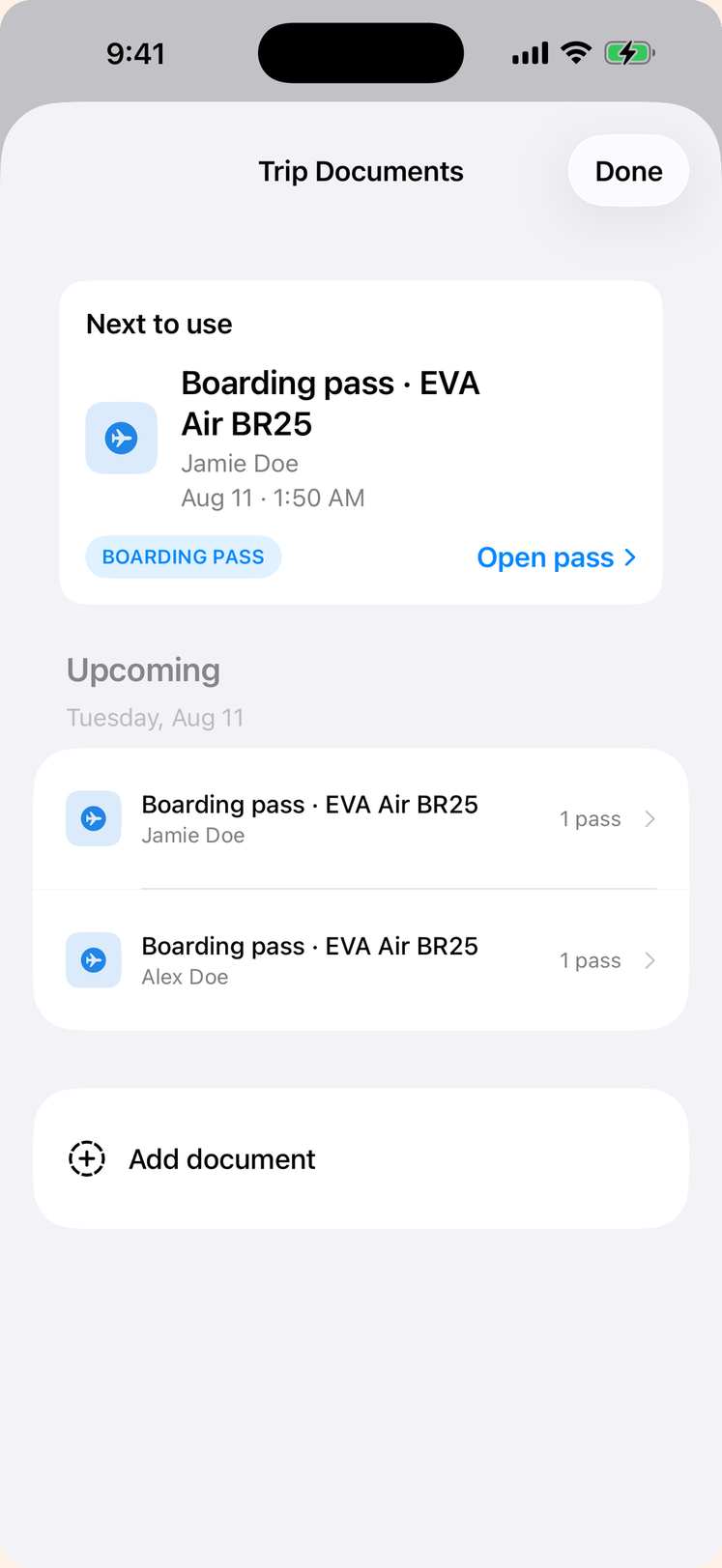
Add everyone who's coming, then invite a companion to follow the trip on their own device — the itinerary, the timeline, even travel-day progress stay in sync through your own iCloud. Choose what travels with the invitation: seats and confirmations, packing lists, or neither. Passport and identity documents are never shared, on any trip.
- Companion sharing
- You pick what's shared
- Documents stay private
Everywhere you've been, on one map
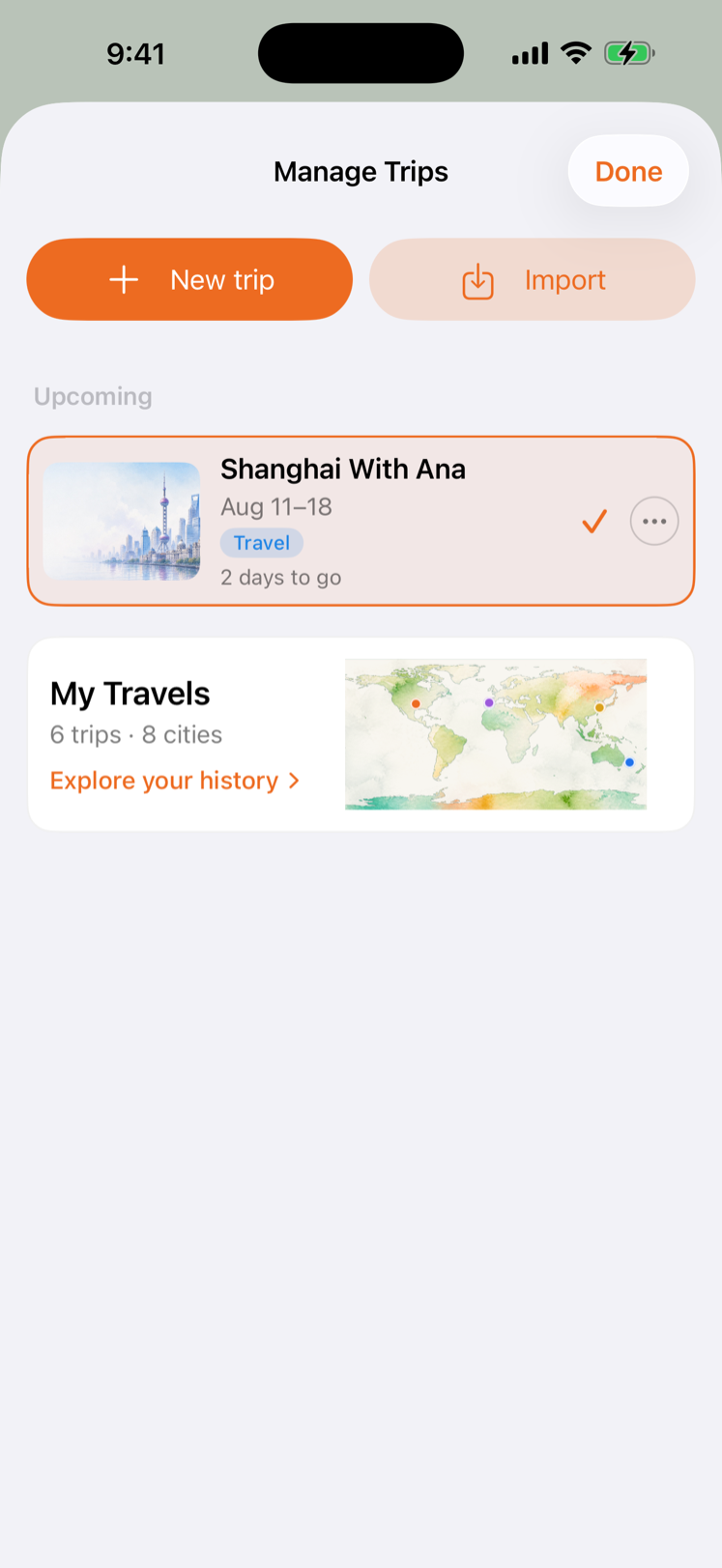
Archive a trip and it joins your travel history: a shelf of trips by year, and a painted world with a pin for every city you've reached. Count the trips, the countries and the cities; filter by year, country or city; or press play and watch your travels light up in the order they happened. Every trip keeps its story and its journey, one tap from the card.
- Trips and map, one screen
- Play your history in order
- Built from your own trips, on your device
Private by design
TravelOrbit is local-first. Your itinerary, your documents and your travel history live on your device and in your own iCloud — passport and ID scans are encrypted and never handed to us. Even the AI assistant runs on-device, so your questions and trip details never leave your phone. No account required to start.
Travel like it's handled.
The calm way to move through a trip — from the first idea to the pin it leaves on your map.
iPhone · iPad · Apple Watch